Model
Video Fast 1.0 Free
Endless creativity, minimal cost. Reserved for early supporters
Prompt
0 / 2500
Aspect Ratio
1:1
3:4
4:3
9:16
16:9
Duration
3 s
5 s
Resolution
480p
720p
Create
Sample Video
Sample video preview

AI Video Generator - Your Smart Movie Maker for Stunning Creations

Transform ideas into captivating AI generated content with our powerful AI video generator. This AI movie maker helps you create video with AI effortlessly. Whether you want to make promotional clips or artistic content, our platform delivers professional AI video generation results. Experience features similar to Veo 3 AI and Sora AI video generator quality. Use our photo video maker to turn images into dynamic clips, or try batch image to video for multiple creations at once. Our AI video generator supports various creative workflows, from simple photo animation to complex generation projects. The advanced AI technology understands your creative intent and produces stunning results that engage viewers and drive meaningful connections.

Prompt
The glass snow globe sits on a snowy surface as gentle snowfall begins around it. Inside the sphere, tiny villagers emerge from houses to build snowmen while lights twinkle warmly through frosted windows. The camera slowly orbits around the globe, revealing smoke curling from chimneys and snowflakes settling on the bridge.
Sample Video
Prompt
A massive retro-futuristic spacecraft, accelerating rapidly from behind, its glowing rear thrusters igniting a fiery spectacle against the transitioning atmosphere — shifting from warm orange glow to the cold void of deep space. The camera tracks smoothly with slight motion shake, maintaining a slightly elevated 35mm rear-angle view as stars stretch into luminous streaks. Lighting evolves from intense orange backlight fading into icy blue ambient tones, colors shifting dramatically from gold and amber to navy, black, and electric cyan. Transitions culminate in a hard cut or hyperspace blur, emphasizing speed and technological grandeur — high-definition, cinematic, immersive, and professionally rendered with dynamic motion and atmospheric depth.
Sample Video
Prompt
A cyberpunk 2077-style immersive 3D urban metropolis at night, dominated by towering neon-lit skyscrapers and hovering spacecraft drifting between buildings, blending gritty realism with futuristic tech. The scene pulses with electric energy, rain-slicked streets reflecting holographic ads and pulsating LED signs, evoking a dystopian yet mesmerizing atmosphere. Cinematic, high-detail, ultra-HD visual style with heavy atmospheric haze and dynamic lighting, emphasizing scale, decay, and technological excess — perfect for cinematic game cinematics or concept art portfolios.
Sample Video

AI Animation Video Generator Features

Our AI animation video generator combines advanced technology with intuitive controls. From AI text to video generator capabilities to AI image to video conversion, every feature streamlines your workflow. Create a video with AI using text to animation AI or text to video converter tools for professional results. The AI generation engine processes your inputs intelligently, ensuring each generated output meets professional standards while maintaining creative authenticity.

Baby AI Video Generator

Cherish precious moments with our baby AI video generator. This specialized feature uses AI turn image into video technology to transform baby photos into heartwarming clips. The generation process preserves natural expressions while adding gentle motion effects. Parents love how this AI video generator captures the innocence and joy of childhood in every generated clip, making family memories truly unforgettable.

Start Generation

AI TikTok Video Generator

Create viral content with our AI TikTok video generator. As one of the top AI tools for generating UGC video content, it helps you generate trending clips quickly. The AI video generation engine understands social media formats perfectly. Content creators rely on this generator to produce engaging content that resonates with audiences and drives viral engagement across platforms.

Start Generation

AI Kissing Video Generator Free

Try our AI kissing video generator free feature to create romantic content. This generator uses advanced AI filmmaking tools to produce emotional narratives. Perfect for creating heartfelt messages with smooth generation quality. The AI understands romantic aesthetics and generates content that captures genuine emotional connections beautifully.

Start Generation

How to Make an AI Video in 3 Steps

Upload Your Content

Start by uploading images or entering text prompts. Learn how to make a video with images using our intuitive interface. The AI video generator accepts various formats and prepares them for generation automatically. Whether you have photos, artwork, or detailed text descriptions, our platform handles all input types for seamless video generation.

Configure Generation Settings

Adjust parameters including duration and style. Whether creating anime content or realistic scenes, customize the generation settings to match your vision. The AI adapts to your preferred output format. Fine-tune resolution, aspect ratio, and motion intensity to ensure your generated output meets specific platform requirements and creative goals.

Generate and Download

Click generate and watch the AI video generation process work. Within moments, preview your AI generated output and make adjustments if needed. Download the final clip in high quality for any platform. Our AI video generator ensures fast processing times while maintaining exceptional quality throughout the generation workflow.

Create Anime Opening and Text to Video Content

From AI video generator anime opening creation to professional text to video projects, our platform adapts to diverse needs. Discover how creators use these AI filmmaking tools to bring visions to life with stunning video generation results. Whether you need to make animated intros or turn scripts into visual stories, our AI video generator delivers consistent quality.

Animation
Social
Creative
Business

AI Animation Video Generator

Create stunning animated content with our AI animation video generator. Generate anime-style clips, cartoon sequences, and artistic animations. The text to animation AI interprets your prompts and produces fluid motion with consistent generation quality. Artists and animators trust this AI video generator to turn creative concepts into polished animated content efficiently.

User Reviews: Image to Video AI Generator

Amazing Baby AI Video Generator Experience

The baby AI video generator transformed my family photos beautifully. I love how the AI turn image into video feature preserves the natural look. This video generator made precious memories come alive with gentle generation. Every parent should try this AI generator to create lasting keepsakes.

Emily Clark
Mother

Best AI TikTok Video Generator

This AI TikTok video generator changed my content game completely. The generation speed is incredible and quality stays consistent. My followers love the AI generated content I create now. This generator helps me make engaging clips daily without burnout.

Jason Miller
Content Creator

Love the AI Animation Video Generator

As an artist, the AI animation video generator is perfect for my work. The generation quality rivals professional studios. I can create video with AI that matches my artistic vision exactly. This generator turns my static artwork into stunning animated pieces.

Ashley Chen
Digital Artist

Great AI Kissing Video Generator Free Trial

Tried the AI kissing video generator free feature and was impressed. The romantic generation looked natural and emotional. This AI video generator understands how to create meaningful content. I use it to make special messages for anniversaries.

Michael Thompson
Videographer

Excellent Text to Video Converter

The text to video converter feature is remarkable. I describe ideas and the generator brings them to life. The AI video generation process is smooth and the results exceed expectations. Writers can now turn scripts into visual content effortlessly.

Sophia Rodriguez
Freelance Writer

Top AI Tools for Generating UGC Video Content

One of the top AI tools for generating UGC video content I have used. The generation is fast and the AI generated quality is professional. Highly recommend this generator for creators who need to make quality content at scale.

Daniel Williams
Marketing Manager

News

How to Create a TikTok Video: The AI Workflow Behind Viral Clips

How to Create a TikTok Video: The AI Workflow Behind Viral Clips

Have you seen those Tung Tung Tung Sahur AI videos on TikTok? They look weird, chaotic, and sometimes do not even make much sense, yet people cannot stop watching, reposting, and remixing them. So why do videos like this blow up? And more importantly, how can you make this kind of TikTok video yourself? The truth is, production is no longer the hardest part. AI can already handle a lot of the visuals and editing. What matters more now is understanding why this style works in the first place, and how to turn that logic into a video people actually want to watch and share. Why Do Some TikTok Videos Go Viral? Some TikTok videos go viral not because they are polished, but because they are instantly recognizable, weird in a watchable way, and easy to remix. Formats like Tung Tung Tung Sahur work because viewers understand the character and tone within seconds, so there is almost no learning cost. The absurd visuals, dramatic delivery, and nonsense logic create just enough confusion to trigger curiosity and replays. At the same time, the format is highly reusable: creators can drop the same character shell into new scenes, jokes, and reactions. Once AI lowers production cost, that formula spreads fast. How to Structure an AI TikTok Video That Feels Viral Most AI TikTok videos that perform well follow a simple structure: Clear characterViewers should understand the character’s role from the first second, even if the design is strange or exaggerated. Fast conflictThe tension should begin quickly, without too much setup or backstory. Constant escalationEach new beat should add surprise, pressure, or a stronger visual turn to keep people watching. How to Write a TikTok Script That Actually Works Start with a format, not a prompt Weak AI videos often begin with a vague prompt and hope the visuals will do the work. Stronger ones begin with a clear format. Before writing anything, define the type of video you are making. The format gives the script its boundaries, pacing, and emotional direction. It tells you what kind of world the viewer is entering and what kind of payoff they should expect. Once that is clear, the writing becomes much easier to control. Keep the premise simple enough to travel A TikTok script should be built around an idea that can move fast. That does not mean the concept has to be shallow. It means the core setup has to be immediately legible. The viewer should understand who or what the video is about, what tension is driving it, and why they should stay for the next few beats. If the premise takes too much explanation, the video starts losing momentum before it even begins. Write in beats, not in scenes What works on TikTok is not a full screenplay. It is a sequence of clear, escalating beats. Each part of the script should give the viewer a reason to keep going: a reveal, a turn, a sharper emotion, a stranger image, or a stronger reaction. The point is not to explain everything. The point is to keep the story moving in a way that feels natural to short-form viewing. A good TikTok script creates momentum early, raises the stakes quickly, and ends before the idea runs out of energy. Make every line visual The script should be built for images first. Dialogue can help, but it should never carry the whole idea on its own. The strongest short videos are easy to follow even before the viewer fully processes the words. That is why good TikTok writing usually feels compressed, concrete, and visually direct. If a line cannot create an instant image, it is probably not doing enough work. How to Make an AI TikTok Video (Step-by-Step) Creating an AI TikTok video is not about chasing trends. It is about building a repeatable process you can scale. Below is a simple workflow you can follow to turn one idea into multiple videos. Step 1: Choose a Reusable TikTok Format Do not build your whole AI TikTok video around one meme. What matters more is finding a format you can use again and again. A repeatable structure is more valuable than a one-off idea because it lets you turn one successful post into a series. Instead of focusing on a specific trend, think in formats: short drama, parody scenes, chaotic character stories, or fake cinematic moments. Formats last longer than memes and are easier to scale. A good AI TikTok video format should be simple, repeatable, and easy to adapt into multiple variations. Step 2: Define the Core Before Generating the AI Video Many weak AI TikTok videos fail because they start generating too early. Before using any AI tool, get clear on three things: who the video is about, what tone it should have, and how the story moves from beginning to end. These decisions shape the final output much more than tweaking random prompts. Once the character, tone, and structure are clear, the AI has something solid to work with. Without this step, you are not really creating an AI TikTok video. You are just generating random clips and hoping one works. Step 3: Generate Fast, Then Improve Key Moments The first version of your AI TikTok video does not need to be perfect. A faster approach is to generate a rough cut, identify what already works, and then improve the most important moments. In most cases, those moments are the opening, the main turning point, and the ending. If the hook is strong, the twist lands, and the ending triggers a reaction, the video will feel complete. It is more effective to refine key moments than to over-optimize every second from the start. Step 4: Package the AI TikTok Video for TikTok A raw AI-generated video is not the final product. What makes it feel native to TikTok is the packaging layer: the opening text, captions, cover frame, and short description. These elements help viewers quickly understand the video and

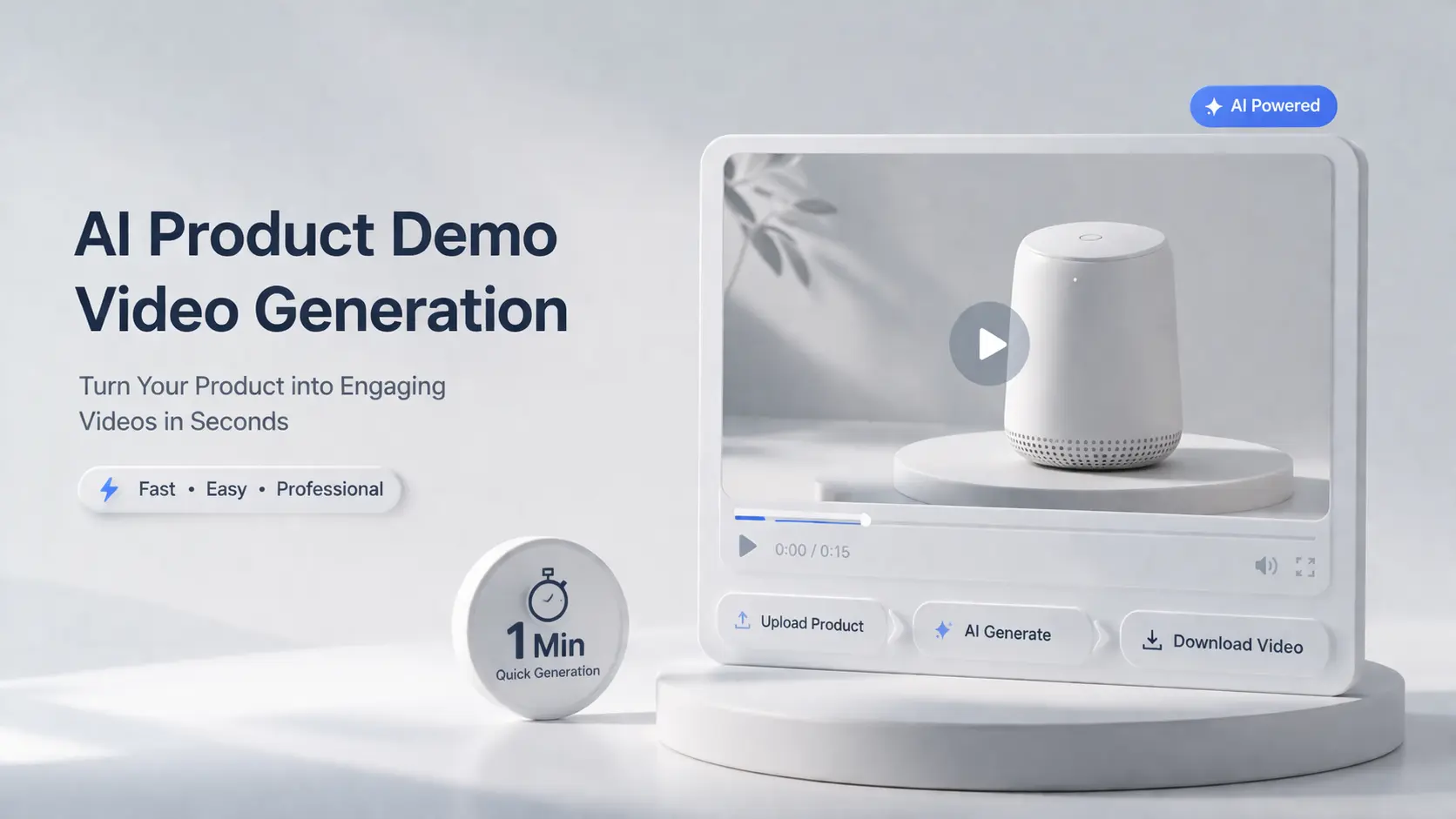
AI Product Demo Video Generation: Demonstrating Your Products Quickly And Creatively

AI Product Demo Video Generation: Demonstrating Your Products Quickly And Creatively

A few years ago, producing a single AI product demo video meant paying much for agent, or, hiring videographers, renting studio time, and surviving endless rounds of editing. Today, the same video takes minutes — generated from a product photo and a text prompt. AI product demo tools are solving this by turning static images and text into polished, professional videos without cameras, editors, or production crews. This guide breaks down the AI product demo revolution in three parts: why traditional production is losing ground, which tools deliver the fastest results, and how prompt-based customization lets you create demos that actually stand out. Whether you are a marketer managing dozens of campaigns or an Amazon seller with hundreds of SKUs, the playbook has changed. Why AI Demonstration Is Outpacing Traditional Demo Video Production The gap between traditional video production and AI-powered demo creation is widening fast. Here is why teams are making the switch. The Hidden Costs of Traditional Demo Video Production Traditional demo video production costs more than most teams expect. Equipment runs $2K–$10K, professional editors charge $50–$150/hr, and studio rentals add up fast. But the real budget killer is maintenance. Every time your product updates, your demo becomes outdated. For Amazon sellers managing hundreds of SKUs, re-shooting is operationally impossible. “The biggest problem isn’t creating demo videos — it’s keeping them updated. The moment your UI changes, your demo becomes outdated.” This maintenance trap means most teams run outdated AI product demo content for weeks, directly hurting conversions. How AI Demonstration Tools Slash Time from Weeks to Minutes Instead of the traditional shoot-edit-review-reshoot cycle, AI demonstration tools generate product demo videos from images, text prompts, or screen captures in minutes. Key capabilities driving this acceleration: Community data shows AI workflows cut over 80% of production costs. One team replaced a $5,000-per-video process with a $50/month AI product demo tool producing unlimited output. Why Marketers and Amazon Sellers Are Leading the Shift Marketers and Amazon sellers face unique pressures that make AI product demo creation essential. Product listing videos, social media ads, email assets, and landing page tours all require video — and they need it fast. Buyers increasingly prefer self-serve demos over scheduled calls. Research shows a 23% conversion increase when demos are placed above pricing on landing pages. AI product demo tools make it feasible to create video for every SKU, not just top sellers. [Image: Side-by-side comparison of traditional video production timeline vs. AI demo creation timeline] Top UGC Video Software for Product Demos: AI Tools That Deliver Fast Results The AI product demo market splits into three categories: video generators, interactive demo creators, and budget-friendly supporting tools. Here is what actually delivers. AI Demo Video Generator Platforms: Feature and Pricing Breakdown The leading AI demo video generator platforms each bring distinct strengths: HeyGen sets the benchmark for AI avatar quality with high-fidelity lip-sync technology, 100+ avatars, and voice cloning. It is ideal for spokesperson-led AI product demo videos that need a realistic human presence. Synthesia targets enterprise training with SOC 2 compliance, a massive template library, and pricing starting at $30/month. The output is professional, though some users note it can feel “corporate” for product demos. AI Image to Video excels at converting product images directly into dynamic videos using multiple AI models including Kling, Veo, and Wan. With quick output and enough free trial credits, it is particularly practical for Amazon sellers managing large catalogs who need to turn product photos into demo videos at scale. Interactive Demo Creators vs Video-Based Product Demo Videos Not every AI product demo needs to be a video. Interactive demo creators build clickable product tours that convert differently. Interactive demos work best for landing pages, sales enablement, and complex SaaS products. Video demos win for social media, onboarding, and Amazon listings. Key interactive platforms: Storylane (from $40/mo, agentic RepX), Navattic (enterprise-grade, from $600/mo), Supademo (fastest creation, from $38/mo), and Arcade (from $32/mo, strong video export). Key Takeaway: Use both formats. Interactive demos on landing pages, video demos for social and e-commerce. The best AI product demo strategy combines both. Budget-Friendly Tools for Small Teams and Solo Marketers Enterprise pricing is a common frustration in the AI product demo space. “I dislike the fact that almost all of the available tools are priced for enterprise / funded companies and not for a bootstrapped founder.” — Reddit r/sales Here is the community-tested $0 budget workflow: ChatGPT for scripting, Gemini for images, Loom for screen recording (free tier), and CapCut for editing (free). Mid-budget stack ($50–$200/mo): Screen Studio ($100 one-time) for polished recordings, Descript for AI text-based editing and filler removal, and ElevenLabs for professional AI voiceover. The key is combining free-tier options strategically. Customized Demo Video Production with Prompts Off-the-shelf templates get you started. But the real competitive advantage in AI product demo creation comes from mastering prompt engineering — the skill of writing text instructions that produce exactly the video output you need. Adjusting Prompts for More Creative AI Demonstration Effects Effective prompts for AI product demo videos follow a four-part formula: Subject + Action + Context + Style. Weak prompt: “A product on a table” Strong prompt: “Close-up of matte black wireless earbuds resting on brushed concrete surface, slow orbit clockwise completing one full rotation, soft rim light catching metallic accents, premium minimalist commercial aesthetic, 4K” Here are the prompting techniques that separate generic AI product demo output from videos that actually convert: Category-specific prompt formulas: Product Type Motion Style Lighting Keywords Opening Hook Electronics Quick, precise rotations Cool, LED-panel lit “Power-on moment, screen illuminate” Fashion Flowing, natural fabric movement Soft diffused, editorial “Fabric texture close-up” Beauty/Skincare Slow, sensual, liquid pour Soft, glowing, dewy “Texture close-up, product dispense” Food/Beverage Slow motion pour, steam rising Warm, golden hour “Pour, slice, steam rising” Jewelry Very slow orbit, light catching Dramatic directional rim light “Light refraction, sparkle on facets” From Product Photos to Dynamic Product Demo Videos The image-to-video pipeline is the most practical workflow for AI product demo creation,

How to Become a UGC Creator in 2026: A Beginner’s Guide

How to Become a UGC Creator in 2026: A Beginner’s Guide

If you want to know how to become a UGC creator in 2026, the honest answer is this: you do not need a huge following, a perfect setup, or a “creator lifestyle” persona. You do need a clear idea of what brands are buying, what a starter portfolio should look like, and how to make content that feels usable. That is the real entry point now. This guide breaks down what being a UGC creator actually means in 2026, where beginners usually waste time, and what helps a small portfolio look strong enough to get taken seriously. What Being a UGC Creator Means in 2026 A UGC creator makes content for brands, not content for their own audience. That content can include testimonials, product demos, problem-solution videos, voiceovers, or simple lifestyle clips—the kinds of UGC videos brands use across social media, landing pages, and paid ads. The key difference between UGC and influencer marketing is simple: influencers sell reach, while UGC creators sell content. That distinction matters because it lowers the barrier to entry. You do not need a huge following to start UGC. Brands are usually not asking how many people you can reach. They are asking whether you can create content that feels natural, clear, and usable. In 2026, that matters even more because the space is more crowded. More beginners are trying UGC, and brands are testing more short-form content than before, which means weak samples get ignored faster. AI has changed the workflow, but not the core job. Brands still want human-led content that feels believable. Tools can help with speed, editing, or extra visuals, but they do not replace a creator who understands how to make a video feel real and brand-ready. What New UGC Creators Usually Get Wrong Most people do not struggle with becoming a UGC creator because they lack talent. They struggle because they spend too much time on the wrong priorities. If you are trying to figure out how to become a UGC creator in 2026, the biggest mistakes usually happen before you even start pitching brands. They Wait Too Long to Feel Ready A lot of beginners spend weeks researching rates, platforms, and gear before they make a single usable sample. It feels like progress, but usually it is just delay. Brands cannot hire your intentions. They can only judge what you show them. The first real milestone is not “having everything figured out.” It is having a few videos that make a brand think, this person can probably create something we can use. They Focus on Gear Instead of Clear Content New creators often assume better equipment will make their work look professional. Usually, it does not. Beginner UGC does not need to look expensive. It needs to look clear, natural, and easy to follow. A decent phone, simple lighting, stable framing, and understandable audio are enough to begin. What hurts most beginners is weak execution: slow hooks, awkward delivery, rushed product shots, or videos that feel too rehearsed. They Treat UGC Like Personal Branding First This is where a lot of people misunderstand how to get into UGC. UGC is not mainly about building a creator persona. It is about making content a brand can actually use. That shift matters. Once you stop asking, “How do I look like a creator?” and start asking, “Would a brand run this video?” your decisions get sharper. They Think More Videos Automatically Mean a Better Portfolio A bigger portfolio is not always a stronger one. Four clear, believable samples are usually more useful than twelve random videos with no consistency. If you want to know how to become a UGC content creator, start by building a small portfolio that looks focused, usable, and brand-ready. What Makes a Beginner UGC Portfolio Look Brand-Ready A good starter portfolio is small, focused, and easy to understand. It should show that you can communicate clearly on camera, present a product naturally, and shape a short video around one idea. That is enough. You do not need to prove that you can do everything. You need to prove that you can do something useful. The three sample types worth starting with The easiest way to keep a portfolio focused is to build around three sample formats: Sample type What it proves Testimonial video You can speak naturally and make a product sound believable Product demo You can show the product clearly and structure a simple use case Problem-solution video You understand basic ad logic, not just casual talking That mix works because it covers the three things brands usually care about early on: trust, clarity, and conversion potential. A testimonial sample shows whether you can sound like a real user. A product demo shows whether you can make a product understandable on screen. A problem-solution sample shows whether you can frame content around a pain point instead of just describing features. What actually makes a video feel usable A brand-ready video is not defined by fancy transitions. It is defined by usefulness. The first few seconds should tell the viewer why they should care. The product should appear early enough to anchor the message. The pacing should feel tight, not dragged out. Your tone should sound natural, even if the script is short and intentional. And the setting should not distract from the point. This is where many beginners overdo it. They try to look polished, but end up sounding stiff. UGC works when it feels controlled without feeling corporate. Clean is good. Overproduced is usually not. Where simple AI workflows actually help This is also the point where AI tools can genuinely help beginners. Not as a shortcut for the entire video, but as a support layer. Maybe your talking segment is fine, but your sample still feels visually thin. Maybe you only have still product photos and need a little motion to make the portfolio piece feel more complete. Maybe you want extra B-roll but do not want to reshoot everything. That is

AI April Fools Pranks: 12 Creative Video Ideas That Beat Traditional Jokes

AI April Fools Pranks: 12 Creative Video Ideas That Beat Traditional Jokes

AI video generation has reinvented April Fools’ pranks—making them safer, cleaner, and far more shareable. Unlike traditional pranks, there’s no mess, no risk of going too far, and no one gets hurt (at least physically). Instead, you gain full creative control and the ability to create hilarious, impossible scenarios quickly—from talking pets to absurd announcements. This guide features 12 ready-to-use AI prank ideas for friends, family, and coworkers—designed for maximum laughs with zero downside. Why AI Video Pranks Are the Best April Fools Pranks of 2026 The shift from physical pranks to AI-generated video pranks represents a fundamental change in how we think about April Fools Day. Here’s why savvy pranksters are making the switch. Higher Controllability—No More Pranks Gone Wrong Physical pranks are unpredictable by nature. That “harmless” scare prank could trigger a genuine panic attack. The jello in the keyboard might actually damage company equipment. The fake spider placement could traumatize someone with a genuine phobia. AI video pranks eliminate these risks entirely. You preview, edit, and perfect your creation before anyone sees it. If something looks too mean-spirited or might land wrong, you simply regenerate or adjust. Research consistently shows that audiences worry about “pranks to avoid”—pranks involving fake emergencies, relationship damage, or physical harm. With AI, you stay firmly in the safe zone because you control the output completely. Scalable Reach—From Living Room to Viral Sensation A traditional prank affects one person at one moment in time. You tape a “kick me” sign to someone’s back, maybe three people notice, and then it’s over. An AI video prank can reach thousands or even millions. Family prank videos on YouTube regularly achieve 1.4 million+ views. Couple prank content consistently goes viral. When your prank exists as shareable video content, its entertainment value multiplies exponentially. Think about it: instead of pranking one coworker, you create a video that your entire team watches in the group chat. Instead of tricking one kid, you have content that entertains the whole extended family. The ROI on your creative effort skyrockets. [Image: Side-by-side comparison showing traditional prank (one person laughing) vs AI video prank being shared across multiple devices] Lower Marginal Cost—Unlimited Pranks, Zero Supplies Traditional pranking has real costs. Googly eyes, fake bugs, jello mix, saran wrap, confetti—every prank requires supplies. Running a multi-target April Fools campaign on your family means multiple trips to the store and a budget that adds up quickly. AI video generation operates on near-zero marginal cost. Once you have access to a capable platform, creating your tenth prank video costs the same as creating your first: essentially nothing extra. This makes AI pranks perfect for serial pranksters who want to hit multiple targets or create several variations of the same concept. Unlimited Creativity—Break the Laws of Physics Here’s where AI pranks truly shine. Physical pranks are bound by reality. You can’t actually make your cat talk, turn breakfast into an animated character, or have a future version of yourself deliver a message. AI video generation removes all physical limitations. Want to show your spouse winning a Nobel Prize for “Excellence in Forgetting to Replace the Toilet Paper Roll”? Done. Want to create footage of your kid’s toys having a secret midnight party? Easy. The only limit is your imagination. This creative freedom is what makes AI pranks genuinely memorable. They surprise in ways that traditional pranks simply cannot. How to Create AI April Fools Day Pranks (Quick Start Guide) Before diving into specific prank ideas, let’s cover the basics of creating AI-generated prank videos. The process is simpler than you might think. Choosing the Right AI Video Platform Not all AI video generators are created equal. For prank purposes, you want specific capabilities: Platforms like AI Image to Video offer these features, allowing you to upload a photo and transform it into dynamic video content in minutes. The ability to start from a real photo—of your actual pet, your real partner, your genuine office space—is what makes these pranks land so effectively. Crafting the Perfect Prank Prompt Your prompt is everything. A vague prompt produces vague results. A specific prompt produces exactly what you imagined. The formula for effective prank prompts: The prank ideas below include complete prompt concepts you can copy and customize. Simply swap in your own details—your pet’s breed, your office’s aesthetic, your partner’s characteristics—and generate. Timing Your Reveal for Maximum Impact Even the best AI prank video needs proper execution. Consider these timing strategies: April Fools Pranks for Kids: 3 Family-Friendly AI Video Ideas Kids make the best prank targets because their sense of wonder is still intact. These AI video ideas tap into that magic while remaining completely wholesome. Idea #1—”Your Pet Learned to Talk!” The Concept: Create an AI video showing your family pet appearing to speak directly to your child. The pet’s mouth moves naturally, as if delivering an important message. Sample Prompt: “A [your pet’s breed] dog sitting on a couch, mouth moving as if speaking, warm living room background, natural lighting, 5 seconds.” Execution Tips: Why It Works: Kids already half-believe their pets understand everything. This prank plays into that magical thinking while staying completely harmless. Idea #2—”Breakfast Came to Life!” The Concept: Transform a photo of your child’s breakfast into a dancing, moving animated scene. Pancakes doing a little jig. Cereal waving hello. Eggs performing a choreographed routine. Sample Prompt: “A stack of pancakes with cartoon eyes, dancing on a plate, kitchen background, playful motion, 4 seconds.” Execution Tips: Why It Works: Food pranks consistently rank as the highest-engagement category across all platforms. Adding the animated twist takes a classic category in a fresh direction. Idea #3—”Your Toys Had a Party Last Night!” The Concept: Channel Toy Story energy by generating a video showing your child’s toys in the middle of a secret celebration—caught red-handed in their midnight activities. Sample Prompt: “Action figures and stuffed animals arranged in a circle, subtle movement as if caught mid-celebration, bedroom setting, 6 seconds.” Execution Tips: Why It Works:

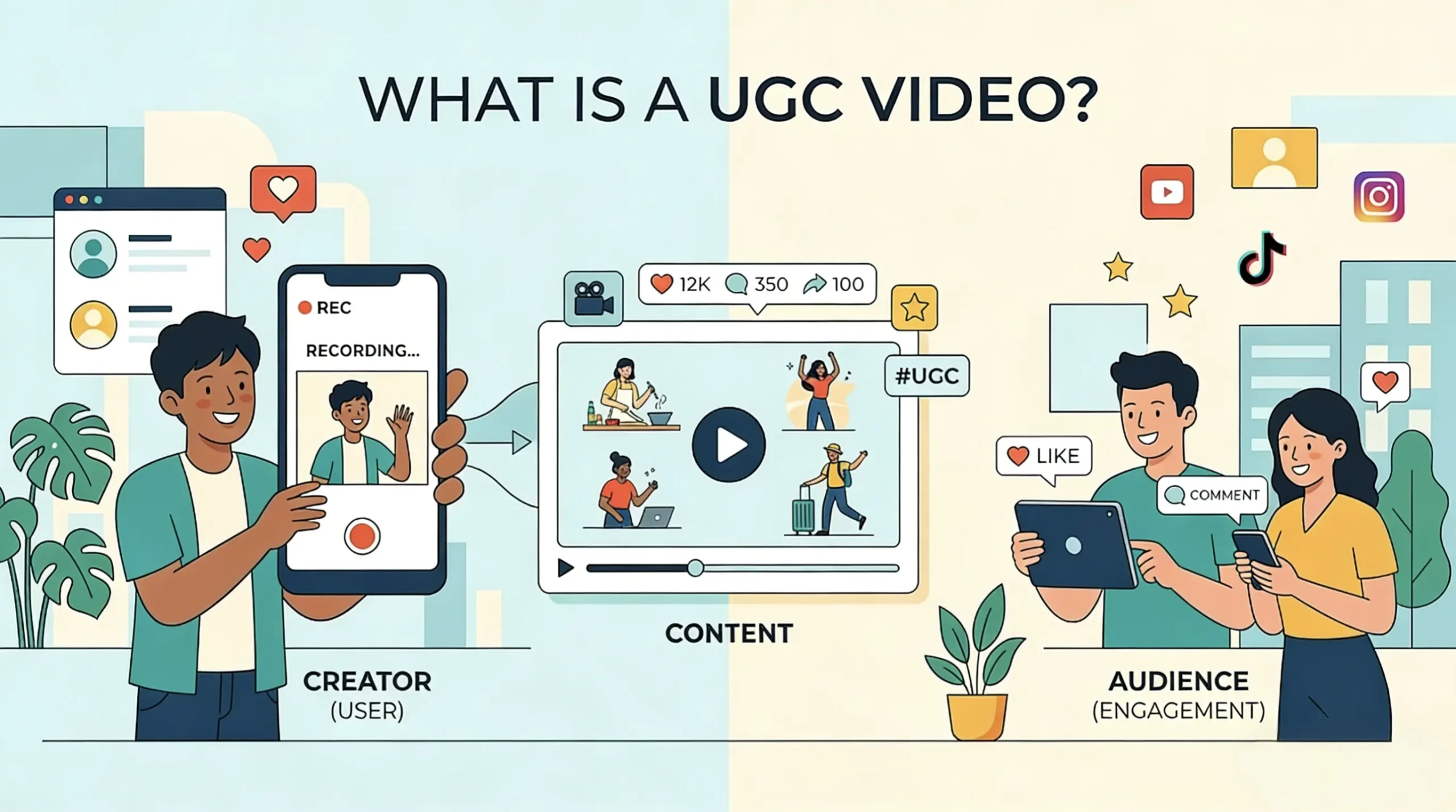
What Is a UGC Video? A Simple Guide for Brands and Creators

What Is a UGC Video? A Simple Guide for Brands and Creators

If you spend time on TikTok, Instagram, or product pages, you have probably seen a UGC video already. In simple terms, a UGC video is content that feels like it was made by a real user, not a brand. Sometimes it comes from actual customers. Sometimes it is created by paid creators in the same natural, social-first style. That is why the term can be confusing. Today, “UGC video” may refer to both customer-made content and creator-made assets used in ads, websites, and social campaigns. This guide explains the meaning of UGC video, common formats, and how brands use it. What Is a UGC Video? UGC stands for user-generated content. Traditionally, it refers to content created by customers, users, or fans rather than by the brand itself. In today’s video marketing, though, the term is often used more broadly to describe short-form videos that feel natural, personal, and native to social media, even when a brand pays a creator to make them. That is why the phrase can be confusing. In practice, a UGC video is defined less by who made it and more by how it feels: simple, relatable, conversational, and believable enough to look like something a real user might post. UGC vs Influencer Content UGC and influencer content may look similar, but brands use them differently. With UGC, brands pay for the content itself. With influencer marketing, they pay for both the content and the creator’s audience. Aspect UGC Video Influencer Content Main value The content itself The content + audience reach Need followers? Usually no Usually yes Where it appears Brand ads, website, brand socials Creators own account What brands pay for Creative asset Creative asset + exposure This difference matters because UGC creators are hired for usable content, not reach. That is why UGC is often a more accessible starting point for beginners. Why Brands Use UGC Videos Brands use UGC videos for more than one reason, but the biggest advantages usually come down to trust, adaptability, and how naturally the format fits modern digital channels. UGC Feels More Native to Modern Platforms Brands use UGC videos because they fit the way people already consume content online. On short-form platforms, polished advertising can feel easy to spot and easy to ignore. UGC-style content blends in more naturally with what people already watch. Adobe describes UGC as a way to scale authenticity and social proof across the customer journey. That is a big reason brands keep using it in ads, on landing pages, and on product pages. UGC Is Flexible Across the Funnel One UGC video can do several jobs. A brand might use one version as a scroll-stopping ad, another as a product demo, and another as a testimonial-style asset lower in the funnel. Because the format is simple, teams can test multiple angles without building a full studio campaign every time. That flexibility is one of the biggest strengths of UGC. It is not just cheaper-looking advertising. It is a format that can be adapted quickly and used in many placements. Common Types of UGC Videos Not all UGC videos follow the same format. Some work better for product education, while others are stronger for trust, conversion, or quick attention. Product Demo A product demo shows how the product works in a real-life setting. It is one of the most common UGC formats because it helps viewers quickly understand both the use case and the value. Testimonial or Review This format focuses on personal experience and results. It usually works best when the creator explains what problem the product solved, what changed after using it, or what stood out most. Problem-Solution Video A problem-solution video starts with a clear frustration, then presents the product as the fix. It is effective because the structure matches how many buyers think when they are comparing options. Unboxing Unboxing videos highlight packaging, presentation, and first impressions. They are simple, but still useful for ecommerce brands that want to build curiosity and product appeal. Faceless UGC Faceless UGC uses formats like hands-only demos, screen recordings, product close-ups, or voiceover clips. It works especially well for apps, tools, home products, and creators who prefer not to appear on camera. How to Make a Good UGC Video Good UGC does not need to look overly polished, but it does need to feel clear, intentional, and easy to trust. Start With a Strong Hook The first few seconds decide whether people keep watching. A good hook usually calls out a pain point, asks a direct question, or makes a specific promise that feels immediately relevant. Focus on One Clear Message Weak UGC videos often try to say too much at once. A stronger approach is to stay with one angle: one product, one problem, and one key benefit. Use a Simple Structure A simple format works best: Hook → Problem → Solution → Proof → CTA This structure keeps the message easy to follow and gives the viewer a clear reason to care. Keep It Natural, Not Sloppy Authentic does not mean careless. Clean audio, decent lighting, and stable framing still matter. The goal is not to make the video look random, but to make it feel real. How AI Is Changing UGC Video Creation AI is changing UGC creation mainly by making the process faster and easier to scale. Instead of replacing creators entirely, it is most useful for speeding up ideation, testing, and production support. AI Speeds Up UGC Workflows Teams now use AI to draft scripts, generate multiple hook variations, create voiceovers, plan scenes, and turn images into quick video concepts. That makes AI especially useful in the early stage, when the goal is to test different angles before investing more time or budget. When AI UGC Works Best AI works best when brands need speed, volume, and rapid iteration. It can help produce several versions of the same idea, making it easier to test different messages, visuals, or hooks across campaigns. Why Human UGC Still Matters AI


Make Anime With the Best Fight Scenes Using AI: A Step-by-Step Tutorial

Make Anime With the Best Fight Scenes Using AI: A Step-by-Step Tutorial

Great fight scenes don’t come from lucky AI prompts—they come from thinking like a director. Type “epic anime battle,” and you’ll get chaos: broken motion, flat shots, unreadable action. To create scenes that actually feel cinematic, you need a structured workflow. This guide shows you how to plan, build, and animate fights step by step—even with AI tools. Why Most AI Fight Scenes Look Cool for 2 Seconds and Then Fall Apart Most beginners ask AI to solve too many problems at once. They want the tool to invent the story beat, stage the characters, design the pose, add the energy effect, choose the camera, animate the movement, and keep both characters consistent across several shots. That is simply too much. Even very strong models can produce flashy frames, but a full fight scene requires continuity. The audience needs to understand who is attacking, who is reacting, where the impact lands, and why the battle escalates. A memorable fight scene is not just motion. It is sequence. Think about the anime with the best fight scenes. The reason those battles stay in your head is not only because the animation is beautiful. It is because each moment leads logically into the next. A stare-down becomes a dash. A dash becomes a block. A block opens a counterattack. Then the pressure rises into a finishing move. The chain matters. AI works better when you feed it the chain one link at a time. Step 1: Start With the Fight Idea, Not the Prompt Before you open your image or video generator, decide what this fight is actually about. Who are the two fighters? What makes them different? What is the emotional tone of the battle? Is this a fast sword duel, a magic clash, a martial arts showdown, or a dark supernatural confrontation? Even a short one-minute AI fight needs a dramatic spine. A smart beginner workflow is to define three things first: combat identity, escalation path, and finishing moment. Combat identity means each character should feel visually and behaviorally distinct. Maybe one uses fire and aggressive forward motion while the other uses water, ice, and defense. Maybe one is fast and reckless while the other is calm and technical. This contrast helps AI understand the scene better, and it helps the viewer read the battle faster. Escalation path means you already know how the fight grows. Start with a face-off, then a test move, then a bigger response, then close-range exchange, then a high-impact finisher. Without escalation, even beautiful shots feel repetitive. The finishing moment is especially important. Many AI videos start strong and then go nowhere. Decide early what the climax looks like. A sword break. An energy collision. A final kick. A dragon-shaped spell. Whatever you choose, let the entire sequence build toward that visual payoff. Do not write one giant paragraph prompt at this stage. Just map the scene like a mini film. Step 2: Create Character Reference Sheets You Can Reuse Character consistency is the foundation of a good AI fight scene. If the hair color changes, if the outfit mutates, if the face becomes a different person every shot, the audience stops caring. That is why you should not start by generating random action shots. Start by building strong reference images for each fighter. Aim for full-body character sheets first. Show the outfit clearly. Keep the hairstyle simple enough to remain stable. Choose one main weapon or energy type. Decide the body build and silhouette. Give the character a readable visual identity. If one fighter is lean, sharp, and dark, make the other broader, brighter, or more fluid. AI handles contrast better than subtlety. You also want neutral reference shots, not only dramatic ones. A front view, a three-quarter view, and maybe a calm standing pose are more useful than one screaming action portrait. These references become the anchor for later generations. When people try to make anime with the best fight scenes using AI, they often obsess over the final explosion but skip the character lock stage. That is a mistake. The cleaner your base references, the easier every later step becomes. Step 3: Build the World Before You Build the Action Fight scenes feel better when the environment is established first. Even if the battle is only 20 to 40 seconds long, you should know where it takes place and what mood that place creates. Is it a ruined shrine? A neon rooftop? A rainy alley? A moonlit forest? A volcanic valley? The environment affects color, lighting, and the way effects show up on screen. Generate a few environmental anchor images before you animate anything. These should include wide shots and mid shots that define your setting. Then create a few cinematic portraits of each fighter inside that world. This helps unify the color palette and makes the fight feel like it belongs to one coherent space. This is also where you should choose your visual language. If you want a high-drama anime battle, you may prefer backlight, strong rim light, drifting smoke, glowing particles, and directional shadows. If you want a classic shonen vibe, brighter contrast and clearer action readability may work better. World-building does more than make the scene pretty. It gives your later action frames a visual home. Step 4: Make Keyframes, Not Full Videos This is where the workflow becomes powerful. Instead of asking an AI video generator to create an entire fight from scratch, create a library of still images that represent the key moments of the battle. These are your keyframes. Think of them as frozen action beats. A useful first batch might include the following: the face-off, the power-up pose, the first charge, the first attack, the block, the counterattack, the mid-fight close-up, the final move wind-up, and the finishing clash. Each keyframe should capture one clear action state. That is important. Do not try to cram too much into a single frame. A strong keyframe answers one question well. “What is happening right now?”

AI Video Generator FAQ

What is an AI Video Generator?

An AI video generator is a tool that uses artificial intelligence to create clips from text or images. It automates generation, allowing users to produce professional content without editing skills. Our generator delivers high-quality AI generated results. The AI analyzes your inputs and generates content that meets professional production standards.

Can Chat GPT Make Videos?

People ask can Chat GPT make videos - while it generates text, you need a dedicated AI video generator like ours to create actual video content. We bridge this gap, turning text prompts into visual AI video generation results. Our AI generator specializes in video creation where language models focus on text.

How to Make an AI Video with Images?

To learn how to make an AI video with images, upload your photos to our platform. The AI turn image into video feature handles the generation process automatically. Our photo video maker creates smooth motion from static images. The AI video generator preserves image quality while adding natural movement.

Is This Like Sora AI Video Generator?

Our platform delivers quality comparable to Sora AI video generator standards. We use advanced AI models similar to Veo 3 AI technology. The video generation results are professional and consistently impressive. Our AI video generator offers accessible pricing while maintaining premium generation quality.

Does It Support Batch Image to Video?

Yes, our AI video generator includes batch image to video support. This feature enables mass generation from multiple images. Perfect for creators needing high-volume AI generated content production. The AI processes batches efficiently while maintaining consistent quality.

What Are AI Filmmaking Tools?

AI filmmaking tools are features like text to animation AI and image to video converters. Our AI video generator combines these tools for comprehensive generation capabilities. Create professional content with advanced AI technology. These tools make production accessible to creators of all skill levels.

What Makes This the Best AI Video Generator?

Our platform ranks among the best AI video generators for its quality and ease of use. The AI generation process is fast and intuitive. We offer features from AI movie maker tools to specialized generation options for every creator. Users trust our AI generator for reliable production results.